
Pasted reviewer comment analysis is available. Automated PDF and image analysis is not connected. Contact our team for a project scope review. Tool output is not an official permit decision.
Permit Correction & Rejection Analyzer
Paste the complete permit-review comments to organize likely site-plan, structural, zoning and administrative issues. Automated PDF/image review is available only with an AI connection.
Get a more useful result
Paste the complete notice with original item numbers. The free text analyzer groups likely issues; it cannot decide disputed code interpretations or inspect a PDF without a configured AI service.
- Paste the actual plan-check comments rather than paraphrasing.
- Review the suggested discipline for each issue and flag uncertain items.
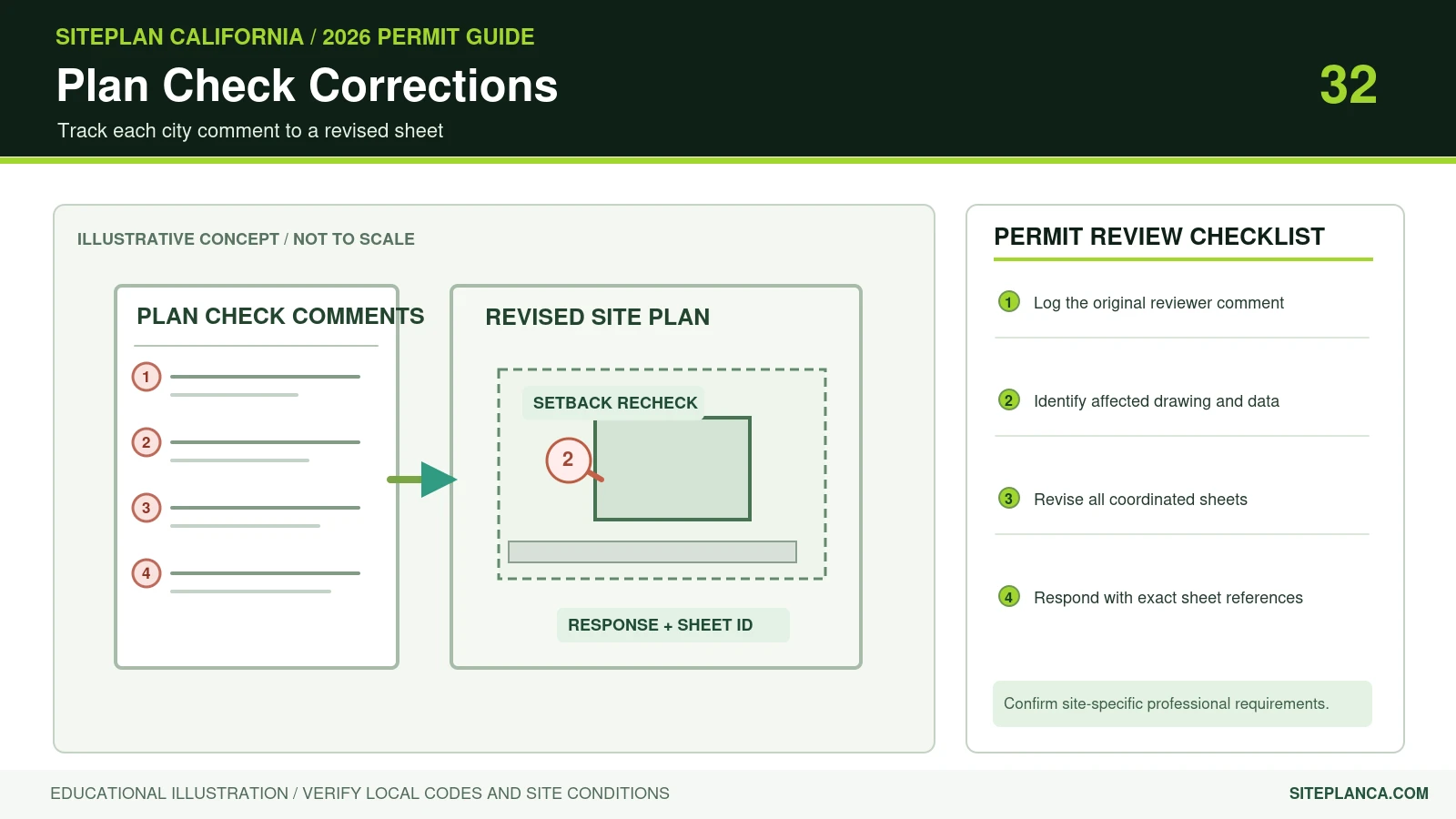
- Respond with numbered revisions and sheet references in the resubmittal.
Example: Example: comments about setback dimensions, footing details and Title 24 paperwork.
Enter Your Project Information
Run the tool for an instant preview. Your complete analysis is prepared at the same time and emailed after the report form is submitted.
Building your project analysis…
Checking the inputs, project logic and available source context.
Your detailed report is prepared.
The complete report includes the full checklist, source links, unresolved items, calculations or rule findings, and recommended next actions.
Your complete analysis
A copy has also been sent to your email.
Useful Answers Without Pretending Every Property Is the Same
Tell us about the property
Your address and project details establish the context.
Run the tool logic
Project-specific rules and calculations evaluate the inputs.
Check local context
Official building and planning sources appear when available.
Receive the full report
Preview the result instantly, then email the full analysis to yourself.
Turn Pasted Comments Into a Review List
Paste the original reviewer comments, including item numbers. The free text classifier identifies likely site-plan, zoning, structural, MEP and administrative categories. It does not read PDFs unless the optional AI service is connected.
Start With the Actual Reviewer Comments
The free mode analyzes pasted text with a permit-correction taxonomy. When the optional OpenAI connection is configured, PDF and image files can be analyzed directly.
Site Plan Corrections the Tool Recognizes
Missing dimensions, setbacks, north arrow, scale, property context, existing-versus-proposed clarity, access, structure labels, inconsistent footprints, easements, lot coverage and conflicts with other drawings are core categories.
Strong Tools Explain What Is Known, What Is Estimated, and What Still Needs Verification.
Use the Result Correctly Before You Commit Time or Money
Do Not Pretend Every Comment Is a Site Plan Problem
Structural calculations, engineering design, survey work, energy documents or another licensed discipline should be identified separately.
Generate a Resubmittal Action Plan
Results are grouped into site-plan fixes, drawing coordination, missing documents, local verification and professional review.
How the Analyzer Prioritizes Reviewer Comments
The tool separates comments by responsibility so users can see which items belong to the site plan, zoning, survey, structural, MEP, administrative or another discipline. This reduces the common problem of trying to solve every correction on one drawing or sending a site-plan drafter work that actually requires an engineer or surveyor.
Why the Original Comment Wording Should Be Preserved
A good resubmittal response should stay traceable to the reviewer's numbered comments. The analyzer keeps the correction language central, then adds a plain-English interpretation and likely action. That makes it easier to coordinate revisions and check that no comment disappeared between review cycles.
What a Strong Resubmittal Package Looks Like
A strong resubmittal generally includes revised drawings, a response that addresses each comment, and any missing documents or professional information requested by the reviewer. The analyzer helps organize that work, but the actual revised sheets and responsible professional documents still need to support every response.
Permit Correction & Rejection Analyzer FAQs
These answers explain how to interpret the tool and when local or professional verification still matters.
Can I upload a permit correction PDF?
Yes when the optional OpenAI integration is configured. Otherwise paste the correction text into the analyzer.
Will the analyzer rewrite my correction response letter?
It can organize a response checklist, but technical responses should stay tied to the actual revised drawings and responsible professionals.
Can it tell me which comments are site-plan related?
Yes. That is one of the main outputs.
What if the notice asks for engineering or a survey?
The tool flags that as a separate professional requirement rather than treating it as ordinary drafting.
Are uploaded files stored?
The plugin does not intentionally add analysis uploads to the WordPress Media Library. Lead submissions store text/project data rather than the uploaded drawing.
Does the analyzer store my uploaded correction notice?
The plugin does not intentionally add analysis uploads to the WordPress Media Library. The configured AI provider may process the file according to its service terms.
Can the full correction report be emailed?
Yes. After the analysis, the visitor can submit the report form and receive the complete analysis by email.
Need a plan for your property?
This tool is a starting point. Send the property address, proposed work, and any city comments so we can confirm the drawing scope.
Request a project review for your permit correction question